
Find it by the words you remember
Full-text search across every page, PDF, product, and job listing you’ve opened. Type “banana bread” or a line you recall, and the exact page appears.
Search everything you’ve ever seen, copied, clicked, or typed. It all stays private, on your own computer.
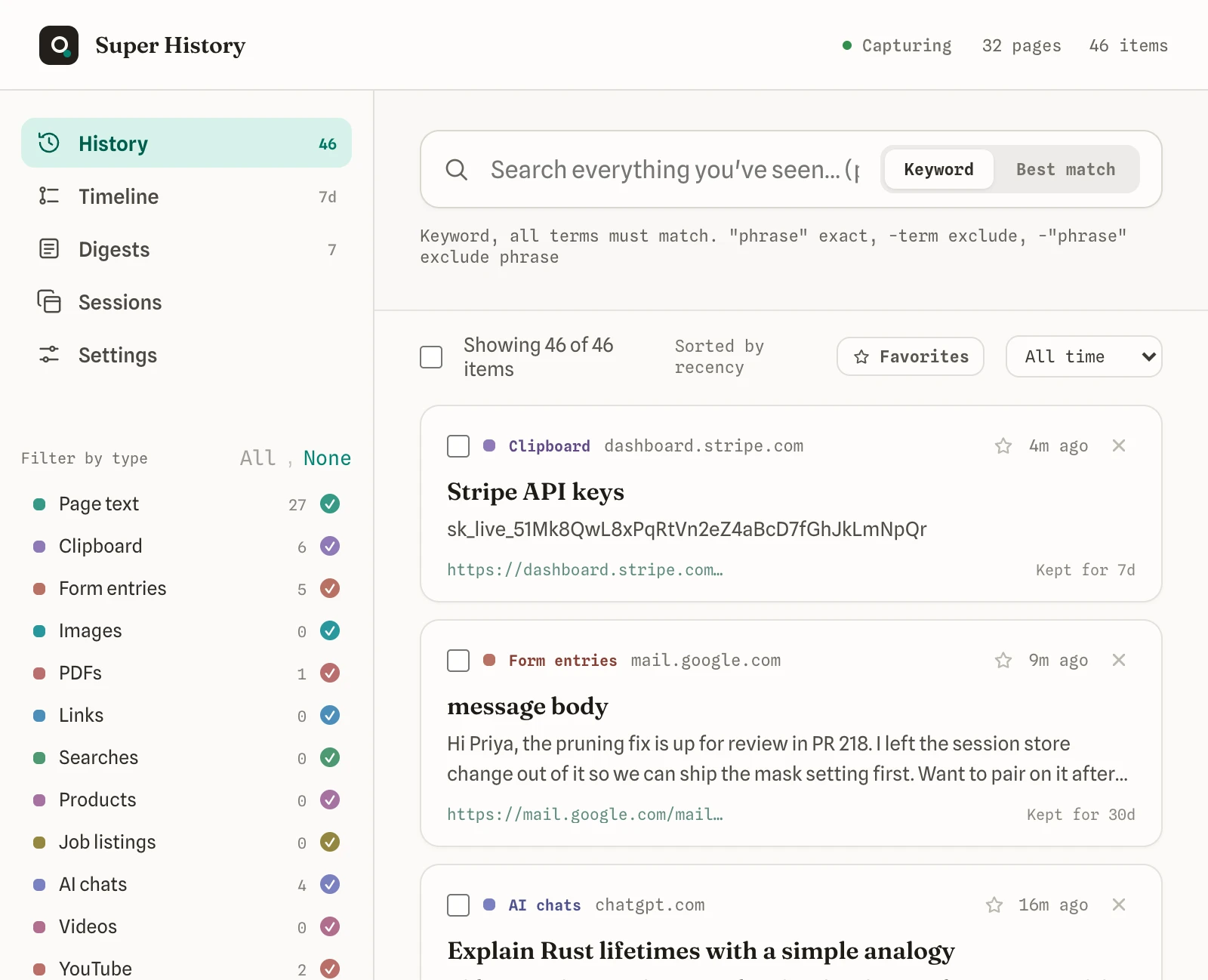
Type any phrase you half-remember, like a name, a line, or a topic, and the exact page comes back in seconds.
Tweets you scrolled past, text you copied, forms you filled, videos you watched, chats with AI. All of it captured as you browse.
Turn it on or off, choose which things it saves, and block anything you’d rather it never see.
Nothing is uploaded, synced, or sold. Your history lives on your machine and nowhere else.
That sinking moment when you know you read it, copied it, or scrolled past it, and now it is just gone. Here is the difference Super History makes.
As you browse, it works out what each thing is, from page text and tweets to PDFs, forms, and AI chats. Search across all of it, or filter to a single kind from the menu on the left.
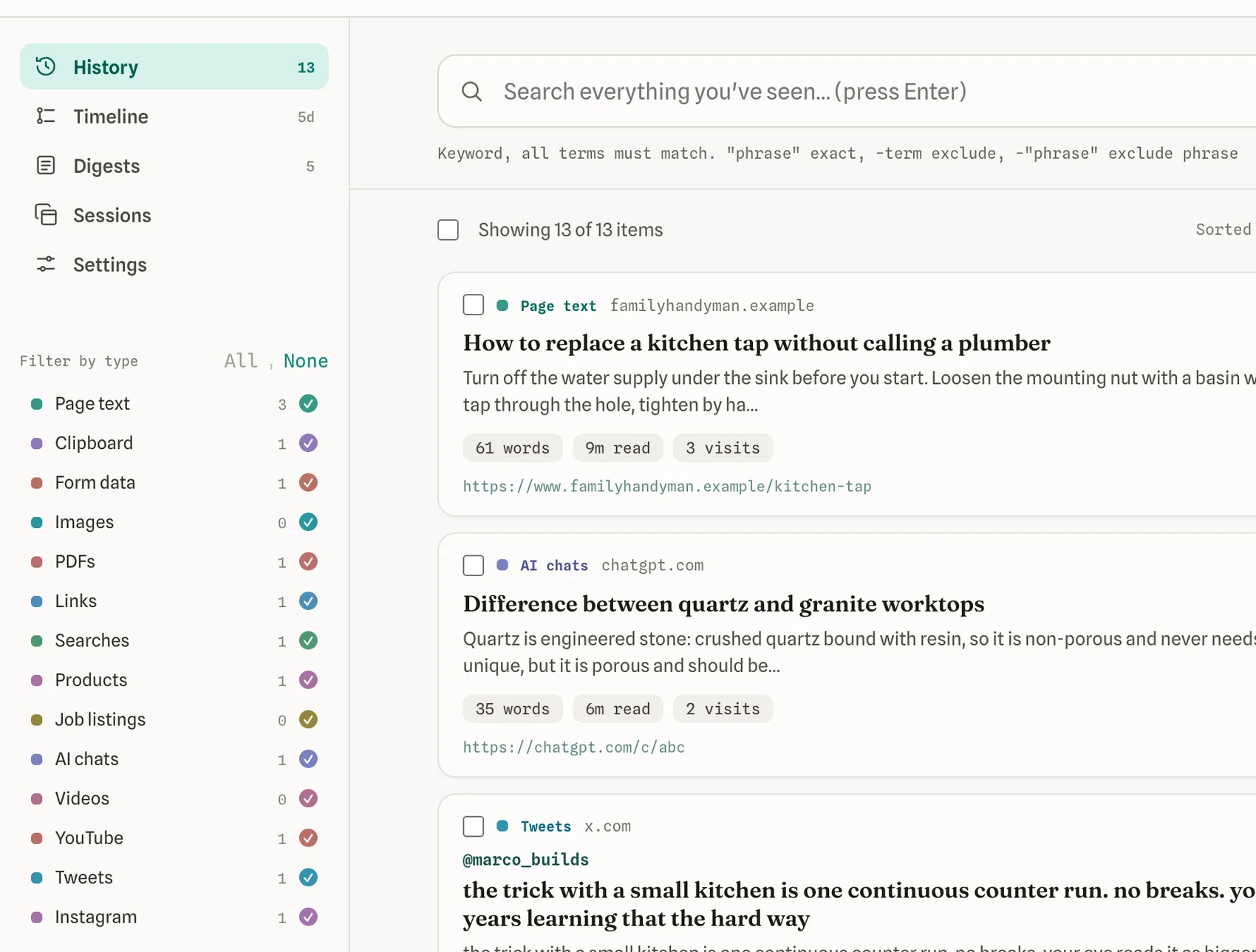
You do not tag or save anything by hand. The extension captures the full text of what you see and makes all of it easy to find later, stored only on your machine.
Full-text search across every page, PDF, product, and job listing you’ve opened. Type “banana bread” or a line you recall, and the exact page appears.
Tweets, Instagram captions, and YouTube videos are saved as you scroll, so the post you saw for two seconds at 1am is still there in the morning.
Every snippet you copy is saved with the page it came from. That address, tracking number, or quote from last week is one search away, not lost to your next copy.
Recover the text you entered into forms and long fields when a tab crashes or a site logs you out. Passwords and private fields are never touched.
Your AI conversations are saved in full and searchable, so the perfect explanation you got last week doesn’t disappear down the thread.
Scroll back through today, last week, or last month, and get a quiet weekly recap of where your attention actually went.
Click the toolbar icon and it opens over whatever you’re reading. From that one window you can search your whole history, grab a snippet you copied, get back what you typed, or reopen a saved set of tabs.
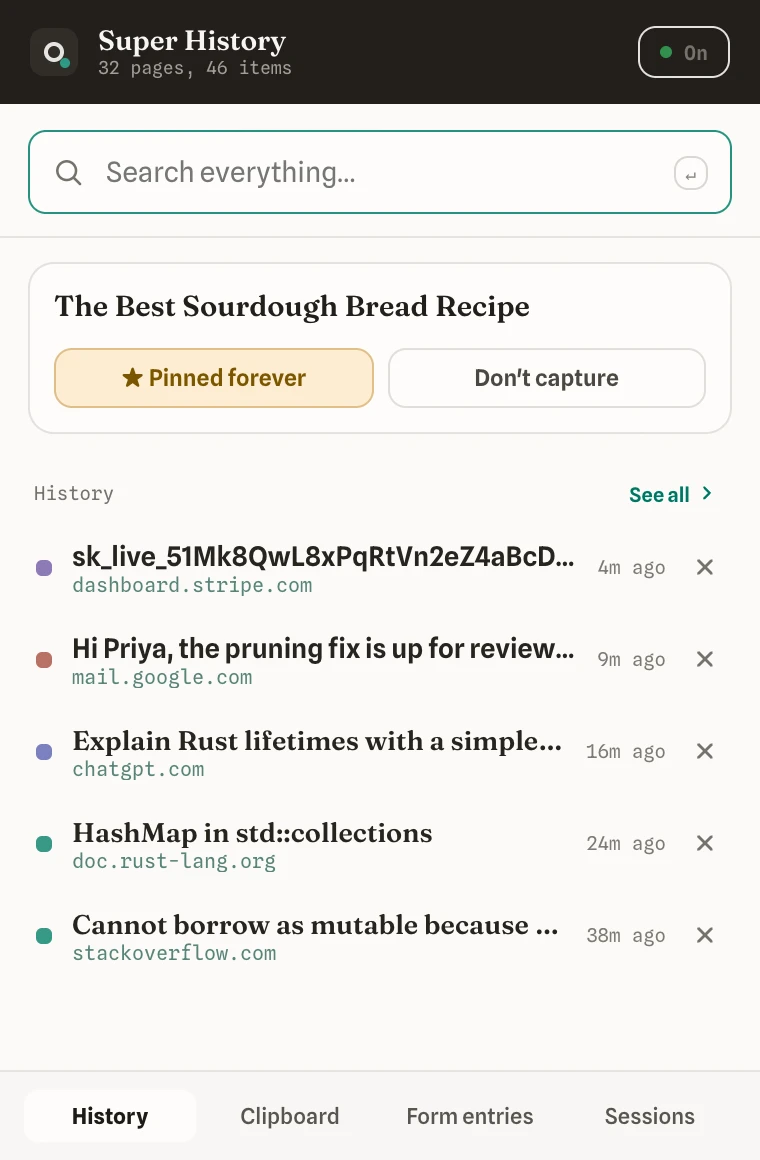
Your most recent captures sit at the top, and the search box reaches every page, copy, and chat you’ve saved.
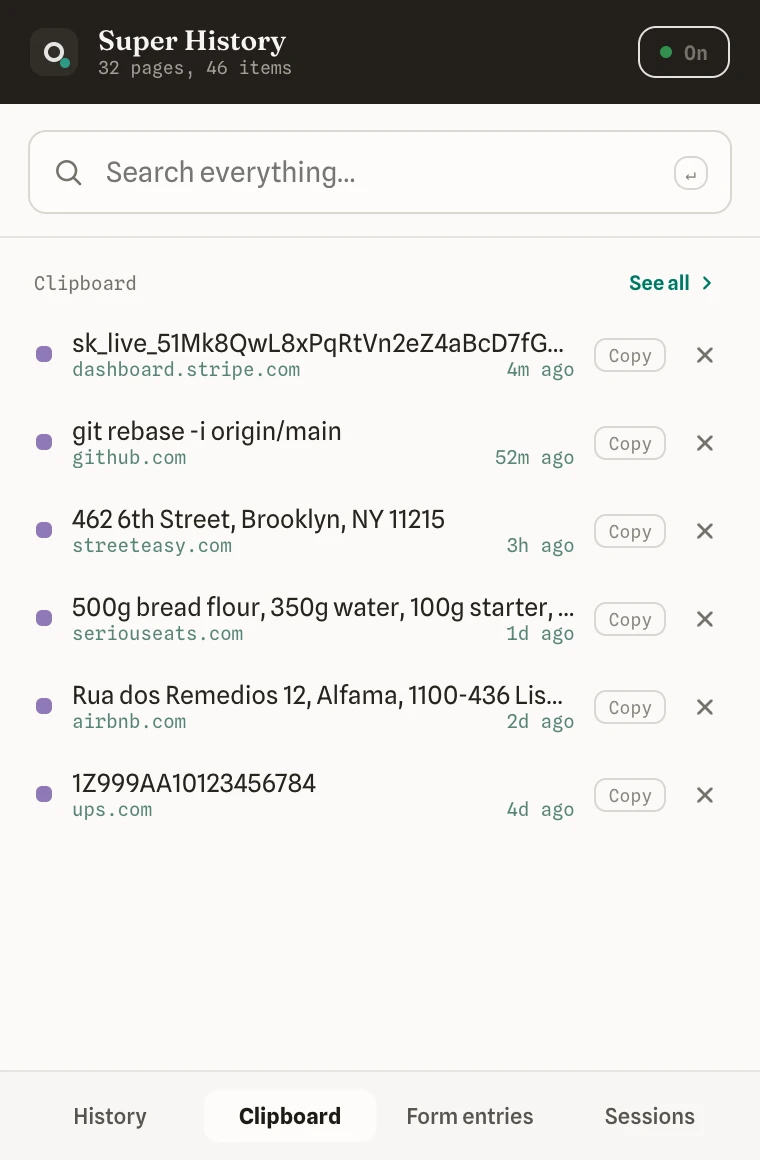
Every snippet you copy is saved and ready to copy again with one click. That address or tracking number from an hour ago is still here.
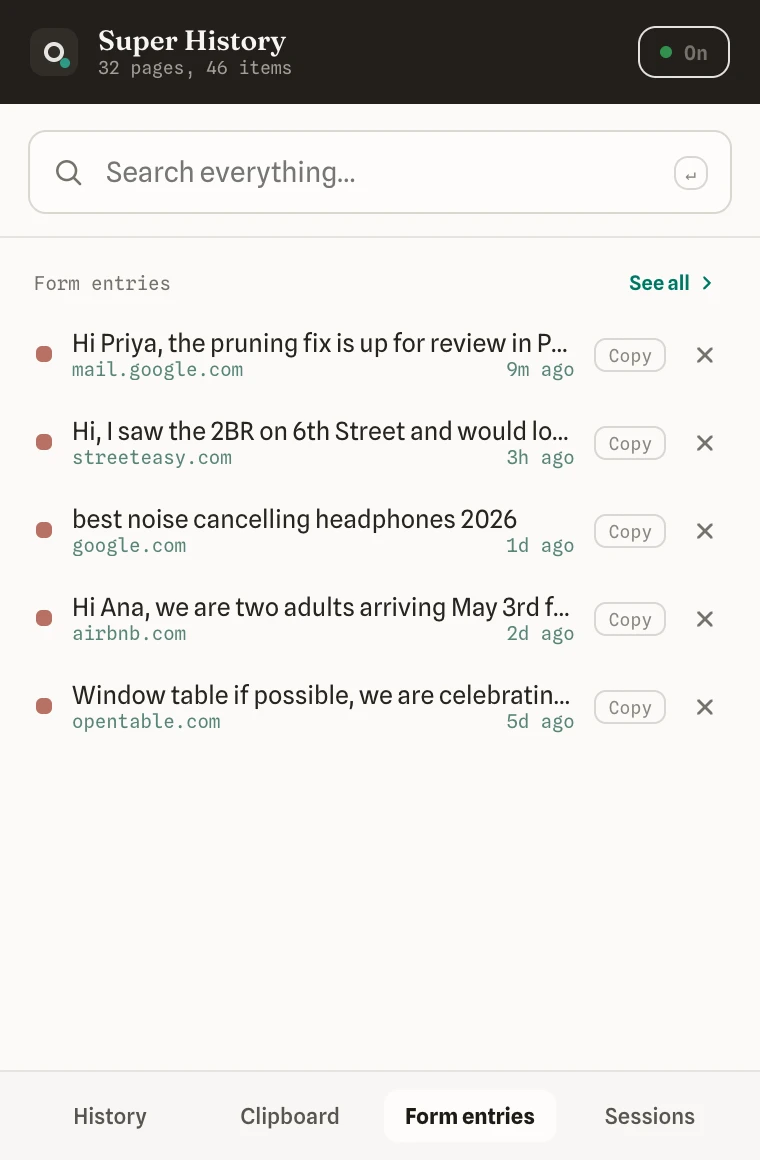
The message, search, or form field you filled is one click from being copied back, even after a crash or a tab you closed by accident.
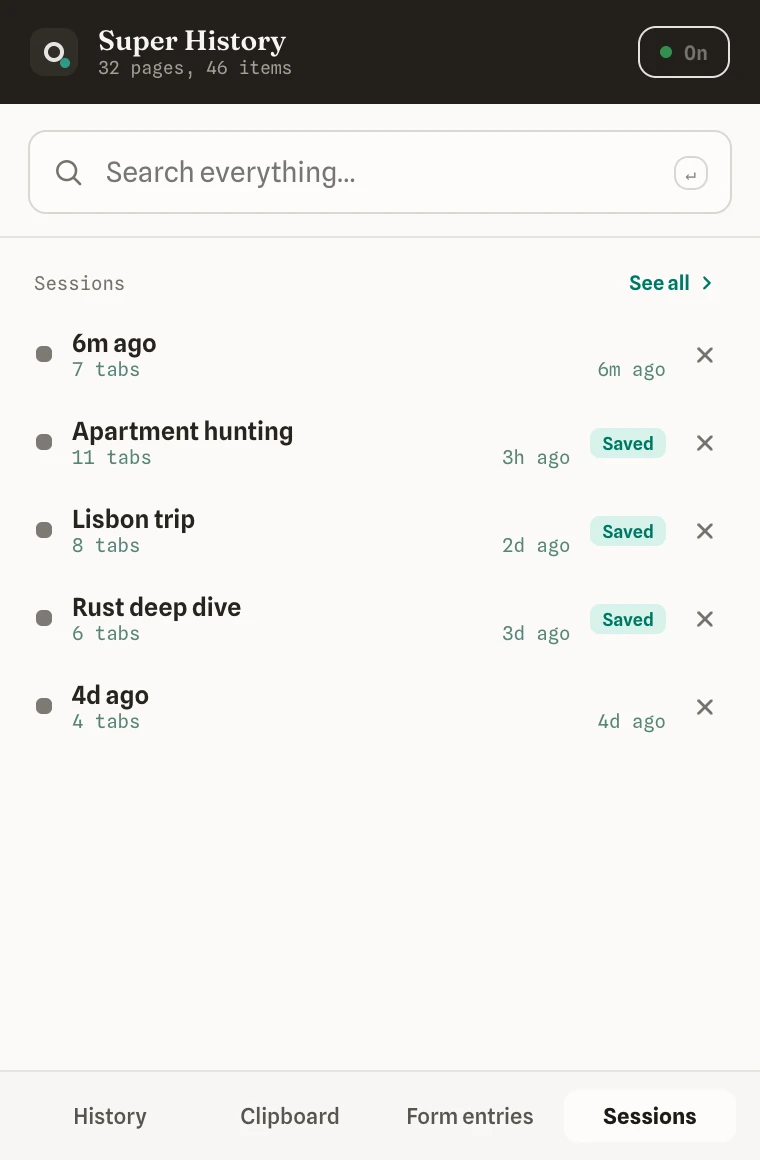
Reopen a saved set of windows and tabs whenever you want. Close all of them today and pick the same set back up next month.
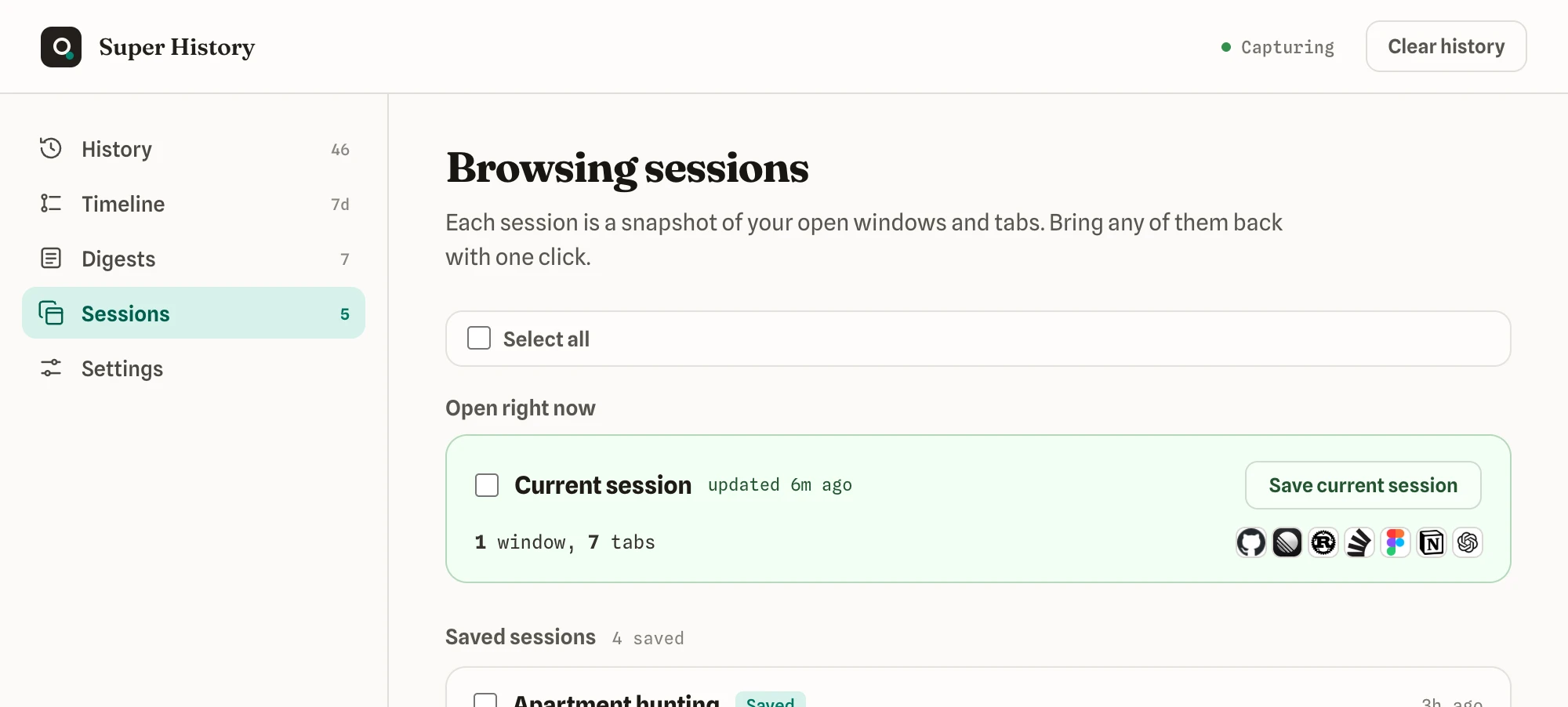
A session is every window you have open and the tabs inside each one. Your browser only reopens what you just closed. Super History saves them all automatically as you browse, with nothing to click, and keeps your last 2000. Any session you save by hand stays until you delete it. So you can close every tab, walk away, and pick the whole thing up again next month.
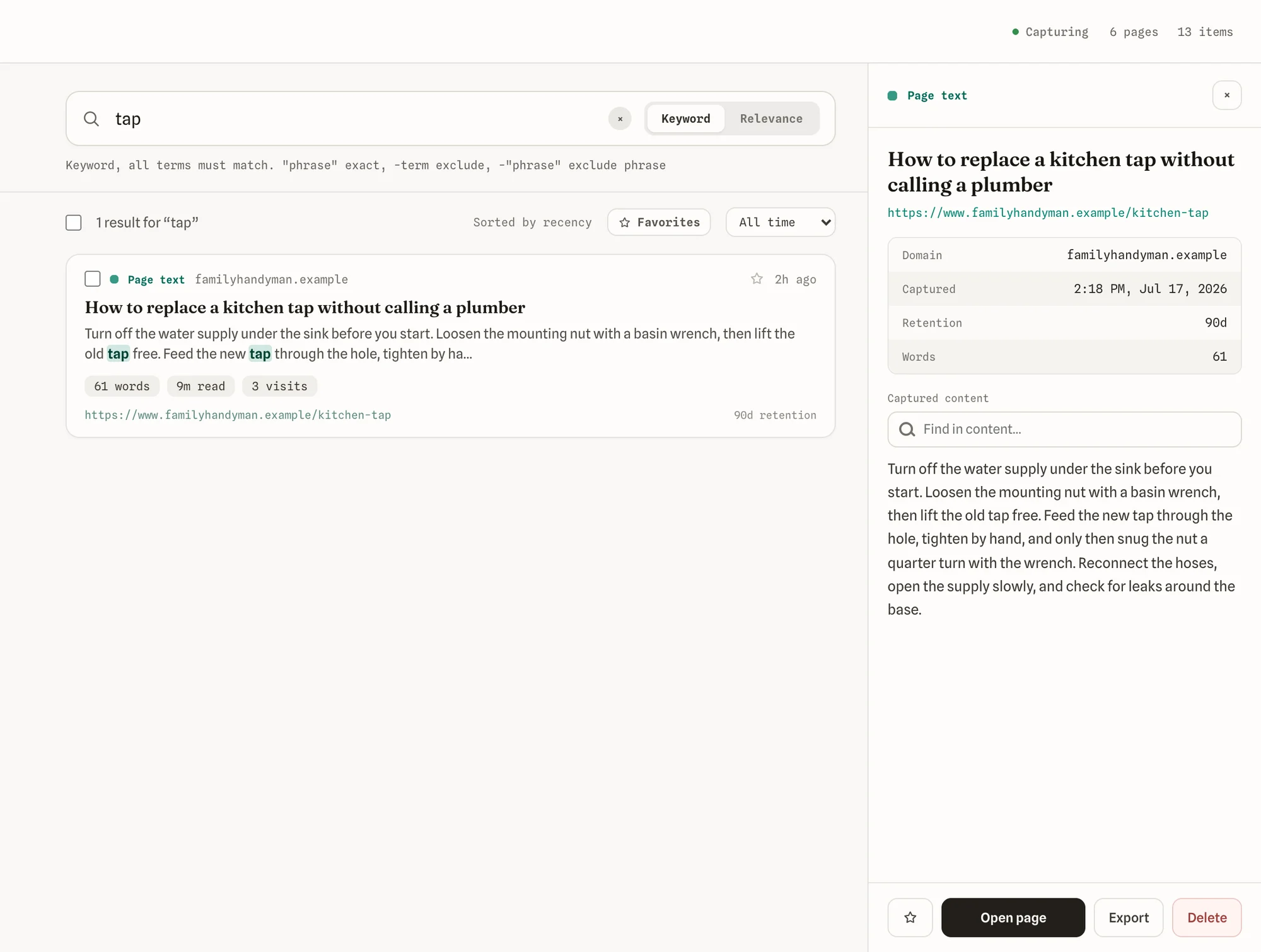
Every page is saved in full, so a search matches the actual words on it, not just the title. Open any result to read the captured text, jump to your term, and go back to the live page.
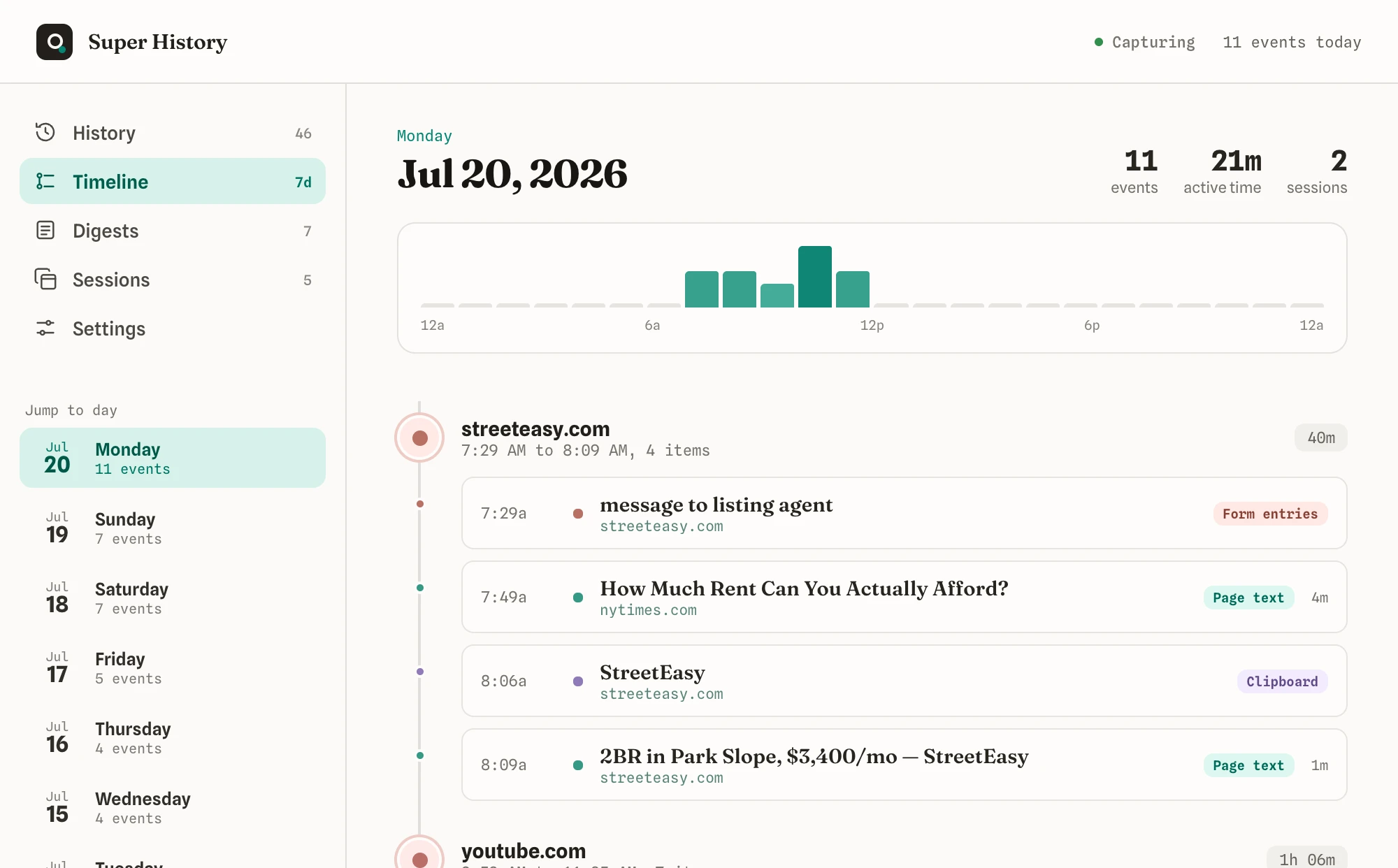
Scroll back through today, last week, or last month and see everything you looked at, grouped by site and time, like flipping through a diary of your browsing.
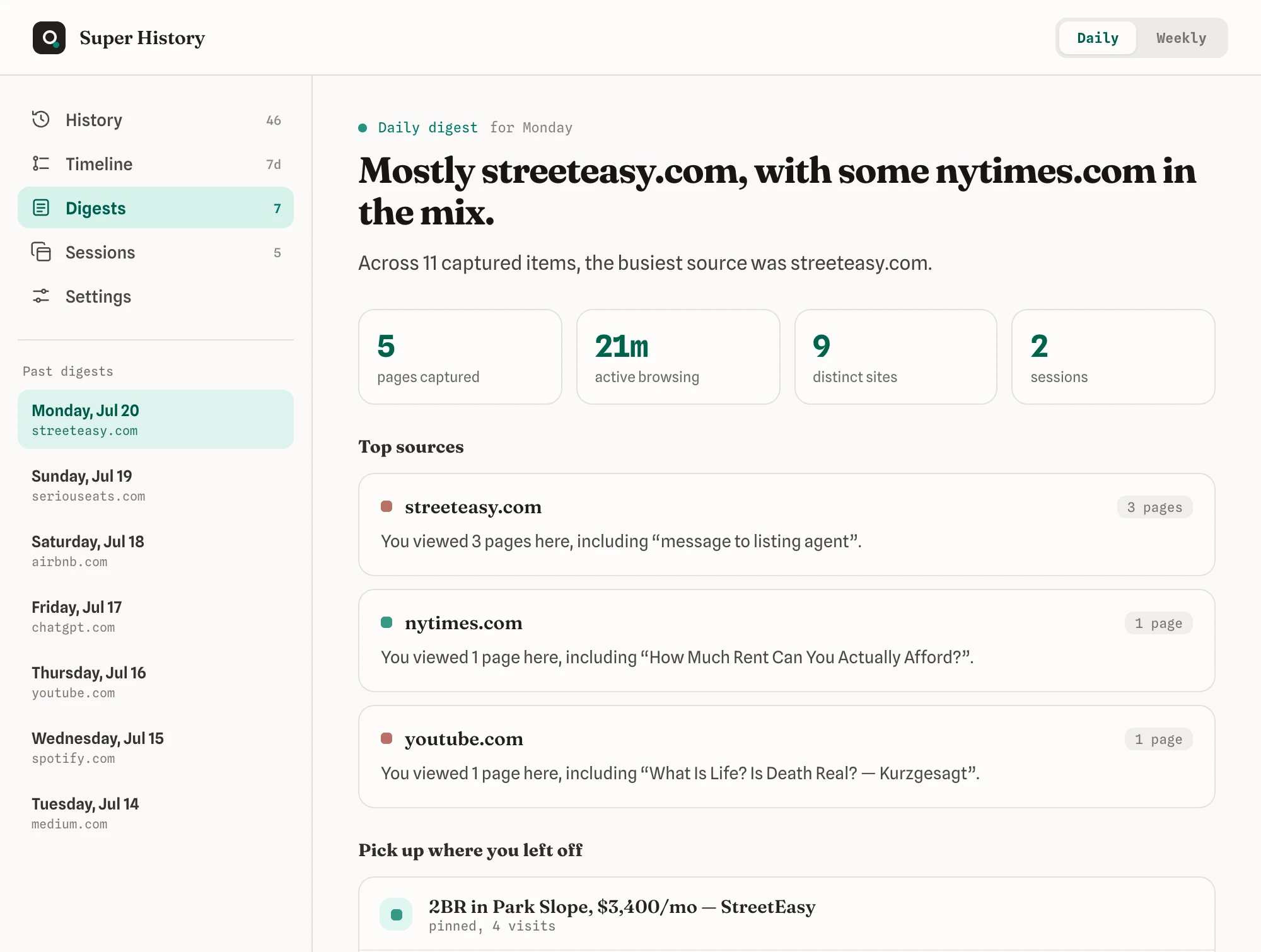
Each day gets a short summary: how many pages you read, your busiest sites, and a shortlist to pick up where you left off. No accounts, no tracking, just your own browsing summed up.
Turn off any kind of content, block whole sites, set how long things are kept, and pause capture whenever you want. Passwords and private fields are never touched, and nothing ever leaves your machine.

No account needed. Just install it and browse. It starts working right away.
Get it free from the Chrome Web Store. It works in Chrome, Microsoft Edge, and Brave, and there is no account to make.
It quietly saves the pages you visit, what you copy, and what you click, based on the settings you choose. You get the full version free for your first 14 days.
Pay once and it is yours forever, with no subscription. Paste your key in the settings and every feature stays on.
This is the private part of your life, and it stays that way. Everything lives on your computer and nowhere else. Nothing is uploaded or shared. There’s no account, no company collecting your habits, no way for anyone to peek. You get the memory without giving up your privacy.
$24
Pay once. It’s yours for life. Free updates, forever.
By purchasing, you agree to our Terms of Service and Refund Policy.
Straight answers. No fine print.
No, it works alongside it. Your browser keeps a simple list of links. Super History also saves the actual content of the pages, so you can search by what you read, not just the website name.
No. Everything is saved and searched on your computer. No server stores your browsing. Nothing leaves your machine.
No. Search works by matching the words you type against the pages you’ve visited. Summaries are based on which websites you visited most. It’s simple and doesn’t need the internet to work.
The extension works in Chrome, Microsoft Edge, and Brave. If your browser is based on Chrome, it should work too.
You get a license key by email. Paste it into the extension settings and the full version unlocks right away. Your key works on every browser where you use the extension.
Yes. You can pause it with one click, choose which types of content to save, block specific websites, and delete anything you want.
Your browser can bring back the tabs you just closed. Super History saves your sessions automatically as you browse, with nothing to click, and keeps the last 2000 instead of only the most recent one. Any session you save by hand stays until you delete it. So you can close all 30 tabs today and open the whole thing again next month, rather than leaving them running for weeks in case you need them. Naming a session is optional, and only there so you can tell one from another. The snapshots stay on your computer, and you can switch the whole feature off in settings.
Every day without the extension, the web keeps forgetting things for you. Starting today, you can remember all of it. Once you feel what that is like, you will never want to browse the old way again.